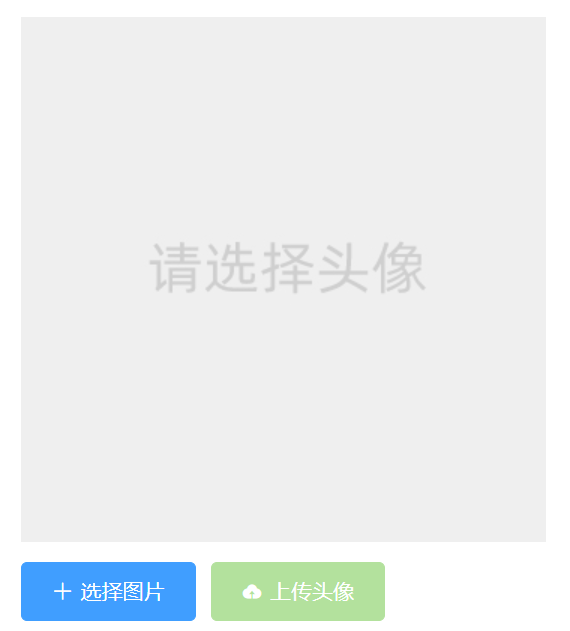
要实现如图所示的上传头像的功能
1、其中img的展示通过v-if来控制展示哪张图片,如果this.avatar值为空,展示默认图片,否则展示上传的图片。
2、通过input type=”file“ 来设置上传按钮的属性,同时设置属性名为iptRef,展示为隐藏展示
3、通过两个按钮来分别实现选择图片和上传图片的功能
4、按钮本身没有上传文件的功能,通过选择图片按钮的点击事件触发chooseImg执行函数,模拟input的点击行为,执行模型行为同时触发change的onFileChange执行函数
5、获取avatar资源,同时上传头像的disable与否通过是否有avatar来决定
1
2
3
4
5
6
7
8
9
10
11
12
13
14
15
16
17
18
19
20
21
22
23
24
25
26
27
28
29
30
31
32
33
34
35
36
37
38
39
40
41
42
43
44
45
46
47
48
49
50
51
52
53
54
55
56
57
58
59
60
61
62
63
64
65
66
67
68
69
70
71
72
73
74
75
76
77
78
79
80
81
82
83
84
| <template>
<div>
<el-card class="box-card">
<div slot="header" class="clearfix">
<span>更换头像</span>
</div>
<div>
<!-- 图片,用来展示用户选择的头像 -->
<!-- 图片,用来展示用户选择的头像 -->
<img class="the_img" v-if="!this.avatar" src="../../assets/images/avatar.jpg" alt="" />
<img class="the_img" v-else :src="this.avatar" alt="">
<!-- 按钮区域 -->
<div class="btn-box">
<input type="file" accept="image/*" style="display: none" ref="iptRef" @change="onFileChange" />
<el-button type="primary" icon="el-icon-plus" @click="chooseImg">选择图片</el-button>
<el-button type="success" icon="el-icon-upload" :disabled="avatar === ''">上传头像</el-button>
</div>
</div>
</el-card>
</div>
</template>
<script>
import { updateAvatarAPI } from '@/api'
export default {
name: 'UserAvatar',
data () {
return {
avatar: ''
}
},
methods: {
// 选择图片->点击事件->让选择框出现
chooseImg () {
// 模拟点击行为
this.$refs.iptRef.click()
},
// 在选择框中选择图片后触发的改变事件
onFileChange (e) {
// 获取用户选择的文件列表(伪数组)
const files = e.target.files
if (files.length === 0) {
// 没有选择图片
this.avatar = ''
} else {
// 选择了图片
// 1. 创建 FileReader 对象
const fr = new FileReader()
// 2. 调用 readAsDataURL 函数,读取文件内容
fr.readAsDataURL(files[0])
// 3. 监听 fr 的 onload 事件
fr.onload = async e => {
// 4. 通过 e.target.result 获取到读取的结果,值是字符串(base64 格式的字符串)
this.avatar = e.target.result
// 5. 调用接口, 传递给后台并根据返回结果给用户提示
const res = await updateAvatarAPI(this.avatar)
if (res.code !== 0) return this.$message.error('上传头像失败!')
this.$message.success('上传头像成功!')
this.$store.dispatch('initUserInfo')
}
// 使用URL.createObjURL()来转换文件变成图片地址(纯前端本地)
// this.avatar = URL.createObjectURL(files[0])
}
}
}
}
</script>
<style lang="less" scoped>
.btn-box {
margin-top: 10px;
}
.preview {
object-fit: cover;
}
.the_img{
width: 350px;
height: 350px;
}
</style>
|