1
2
3
4
5
6
7
8
9
10
11
12
13
14
15
16
17
18
19
20
21
22
23
24
25
26
27
28
29
30
31
32
33
34
35
36
37
38
39
40
41
42
43
44
45
46
47
48
49
50
51
52
53
54
55
56
57
58
59
60
61
62
63
64
65
66
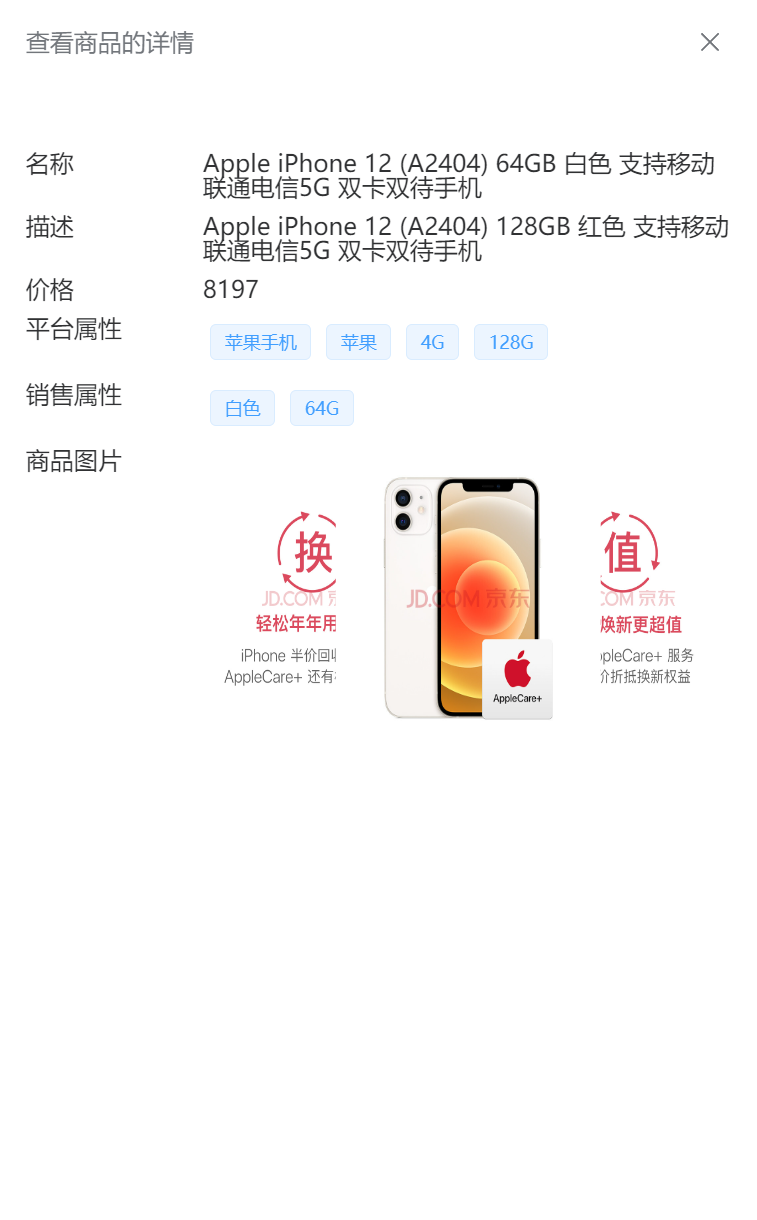
| <!-- 抽屉组件:展示商品详情
drawer:true和false来控制抽屉组件的显示与隐藏
header:头部插槽
el-carouse:走马灯组件
-->
<el-drawer v-model="drawer">
<!-- 标题部分 -->
<template #header>
<h4>查看商品的详情</h4>
</template>
<template #default>
<el-row style="margin: 10px 0px">
<el-col :span="6">名称</el-col>
<el-col :span="18">{{ skuInfo.skuName }}</el-col>
</el-row>
<el-row style="margin: 10px 0px">
<el-col :span="6">描述</el-col>
<el-col :span="18">{{ skuInfo.skuDesc }}</el-col>
</el-row>
<el-row style="margin: 10px 0px">
<el-col :span="6">价格</el-col>
<el-col :span="18">{{ skuInfo.price }}</el-col>
</el-row>
<el-row style="margin: 10px 0px">
<el-col :span="6">平台属性</el-col>
<el-col :span="18">
<el-tag
style="margin: 5px"
v-for="item in skuInfo.skuAttrValueList"
:key="item.id"
>
{{ item.valueName }}
</el-tag>
</el-col>
</el-row>
<el-row style="margin: 10px 0px">
<el-col :span="6">销售属性</el-col>
<el-col :span="18">
<el-tag
style="margin: 5px"
v-for="item in skuInfo.skuSaleAttrValueList"
:key="item.id"
>
{{ item.saleAttrValueName }}
</el-tag>
</el-col>
</el-row>
<el-row style="margin: 10px 0px">
<el-col :span="6">商品图片</el-col>
<el-col :span="18">
<el-carousel :interval="4000" type="card" height="200px">
<el-carousel-item
v-for="item in skuInfo.skuImageList"
:key="item.id"
>
<img
:src="item.imgUrl"
alt=""
style="width: 100%; height: 100%"
/>
</el-carousel-item>
</el-carousel>
</el-col>
</el-row>
</template>
</el-drawer>
|